
It's the first time in the history of the world.
Linux users have been waiting for a client for two years and have finally landed.
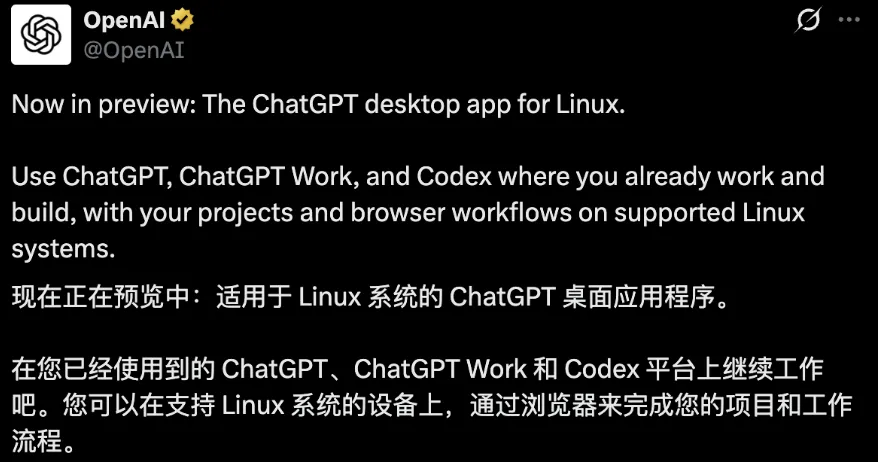
OpenAI official announcement: Open preview of the Linux version of the ChatGPT desktop application.
ChatGPT, Work and Codex are installed in the same app.
Linux is one of the most densely developed systems in the world, but it has always been overlooked by OpenAI's official desktop.
For the past two years, Windows and macOS users have been able to call ChatGPT by pressing a shortcut, and Linux users can only hang it in their browsers.
And this is not just an entrance.
The three sets come together, especially the codex, to touch your project, the code library and the terminal, which is where browsers can't get enough of.
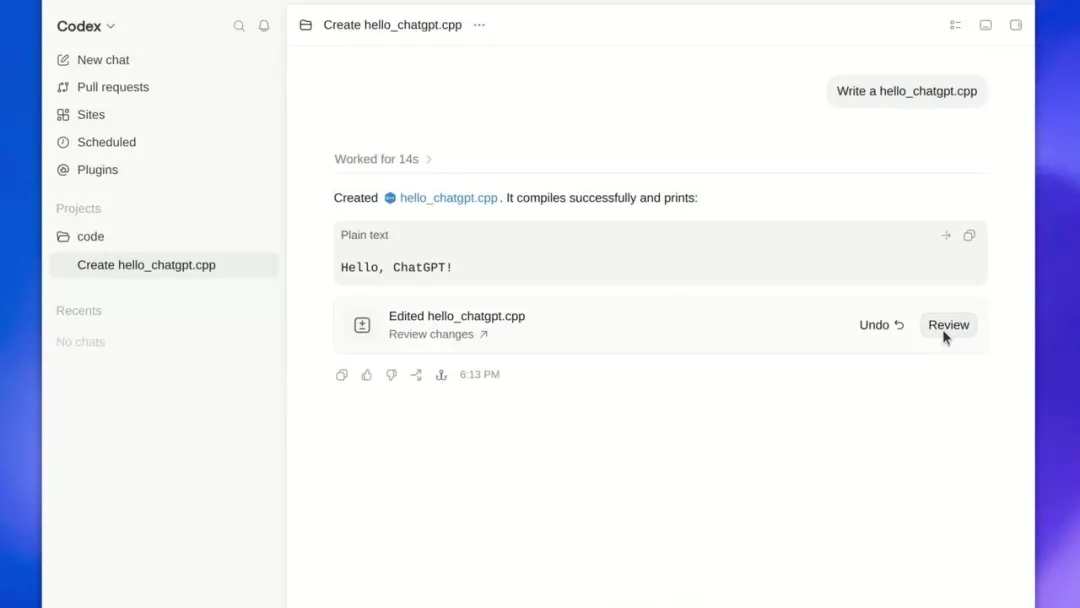
Codex view: Switch to ChatGPT in the upper left corner, pull requests to Projects one at a time.
The first supported distributions were: Ubuntu 24.04 and 26.04 LTS, Debian 13, Fedora 43 and 44.
Linux has hundreds of distributions, with OpenAI choosing five of the three versions first.
The architecture provides two lines of x64 and ARM64, and the installation packages are ready for direct.deb and.rpm, which can be installed with two clicks.
According to TechCrunch, the preview is now open worldwide, with the new ChatGPT desktop application bringing together the three main desktop operating systems: macOS, Windows, and Linux.
According to OpenAI, Linux has always been one of the most popular desktop platforms.
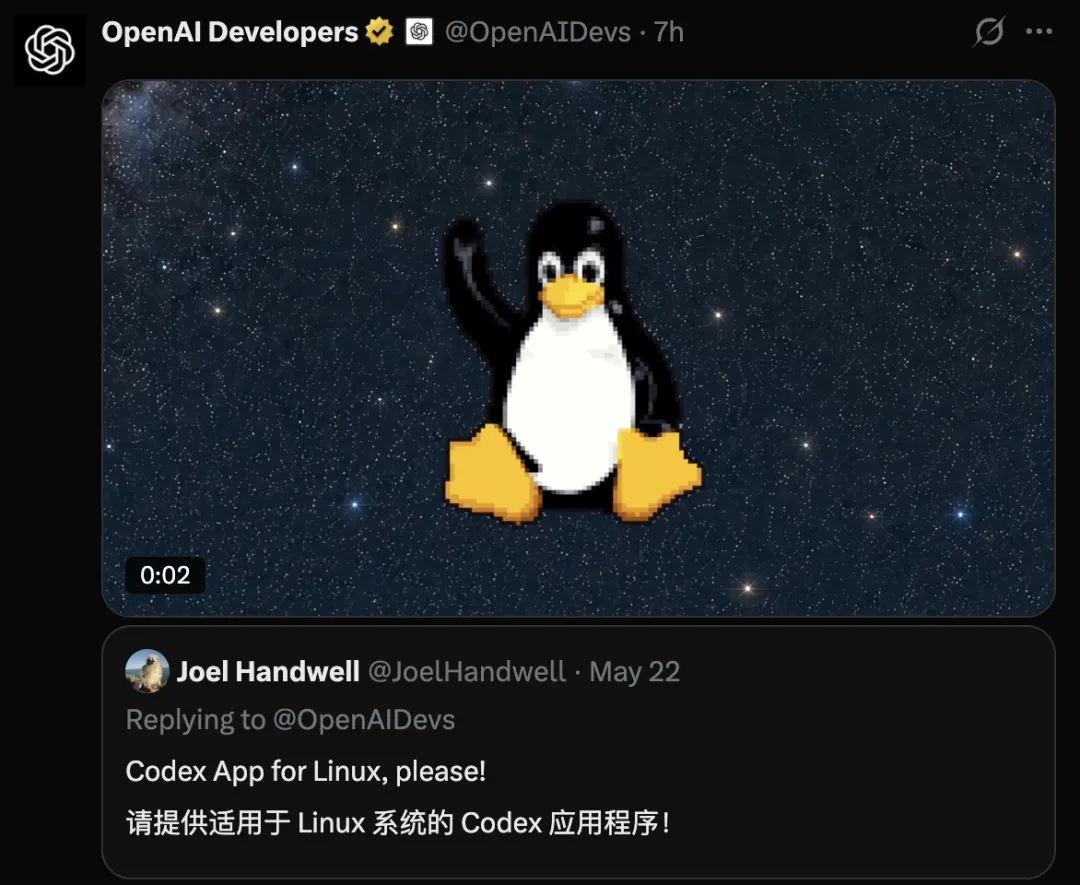
On May 22, a blogger named Joel Handwell shouted in the comments section: Give Linux a Codex App.
For an AI company that is often touted as "serving browser-only users", this is a step in the right direction.
It's not just a client.This time, it's not just that ChatGPT finally has a Linux version.
In the three sets, ChatGPT is responsible for dialogue, Work is responsible for complex multi-step tasks, and Codex is responsible for real action.
Work refers to an intelligent experience for complex, multi-step tasks that can be set up depending on your package and work area.
The codex, although installed in the same application as ChatGPT, retains its own independent view.
The OpenAI Help Center document states: "The workflow of the Codex has not changed, and the historical record is separate from the historical record of ChatGPT".
You talk about the needs in ChatGPT, you push multi-step tasks in Work, you let it change the code in Codex, and you don't have to go back and change the application in the middle.
One sentence sums it up: one pump, two sets of memories, three modes of operation.
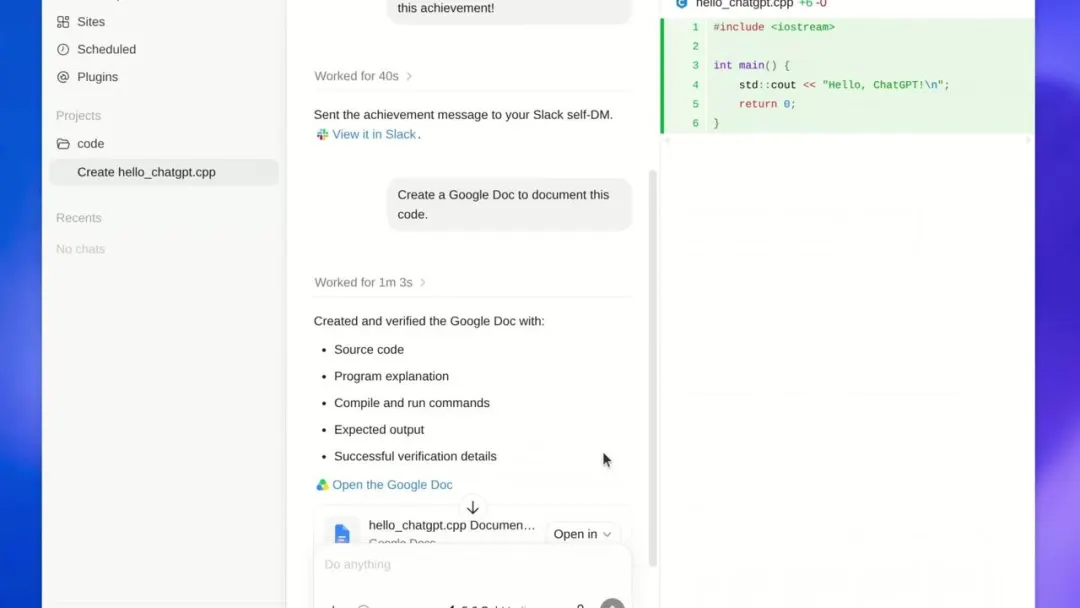
In the same session, the Codex lists the five elements of creating and verifying Google Doc: source code, procedural instructions, compilation of execution commands, expected output, and verification details.
OpenAI is cutting costsThe user addsOver the past two years, the product line of OpenAI has been expanded: web versions, desktop versions, codex-independent apps, and Atlas browsers.
Now, it's starting to decrease.
If you look at the timeline, this Linux replacement is actually one of the steps in this round of product closures.
On July 9, OpenAI announced three things: the release of ChatGPT Work, the integration of independent codex applications into the new ChatGPT desktop application, and the removal of the Atlas browser.
Chat, Work, Codex, the three interfaces were repackaged into the same gateway, which was open worldwide on Mac and Windows on the same day, with all packages available, including the free version.
The old version of the desktop app was renamed ChatGPT Classic and dropped to one side.
On 9 August, the Atlas officially ceased operations.
Three days later, the Linux version went live.
The benefits for OpenAI and its users are obvious.
There is no need to confuse "which app should this kid open", one app, all three.
OpenAI's harvest is user-friendliness. All the inputs are clustered into one, and your context, files, projects, and habits all fall into the same client.
The heavier the app you install on your computer, the higher the cost of replacing it.
Codex is the real killer of Linux.Why should developers be the most excited about this edition?
In the past, what the codex could touch on the desktop edge was never touched by the browser edition: local projects, code libraries, file systems, terminals.
This is the longest day spent by an engineer.
Having a library that can read your code, tap into your terminal, put it directly into your computer, and copy and paste code on a web page are two experiences.
The former is an AI colleague and the latter can only be a search box.
This is also a watershed moment for AI programming tools this year.
Writing code has been a long time coming, and it lacks a whole cycle of "reading code, changing files, running commands, seeing bugs, and changing them again".
And this cycle can only be run locally.
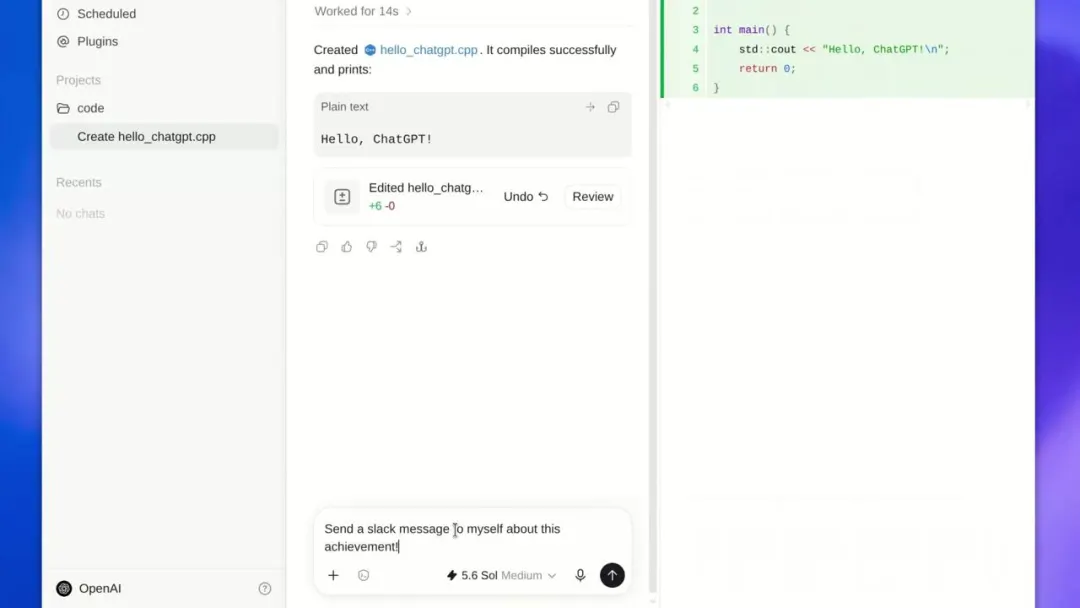
Codex wrote hello_chatgpt.cpp on the Linux desktop and completed the compilation, aligning the right-hand code area with the left-hand dialogue area, with the bottom model being 5.6 Sol Medium.
OpenAI's positioning of the application is also clear: project management, file processing, browser workflows, and local codex development.
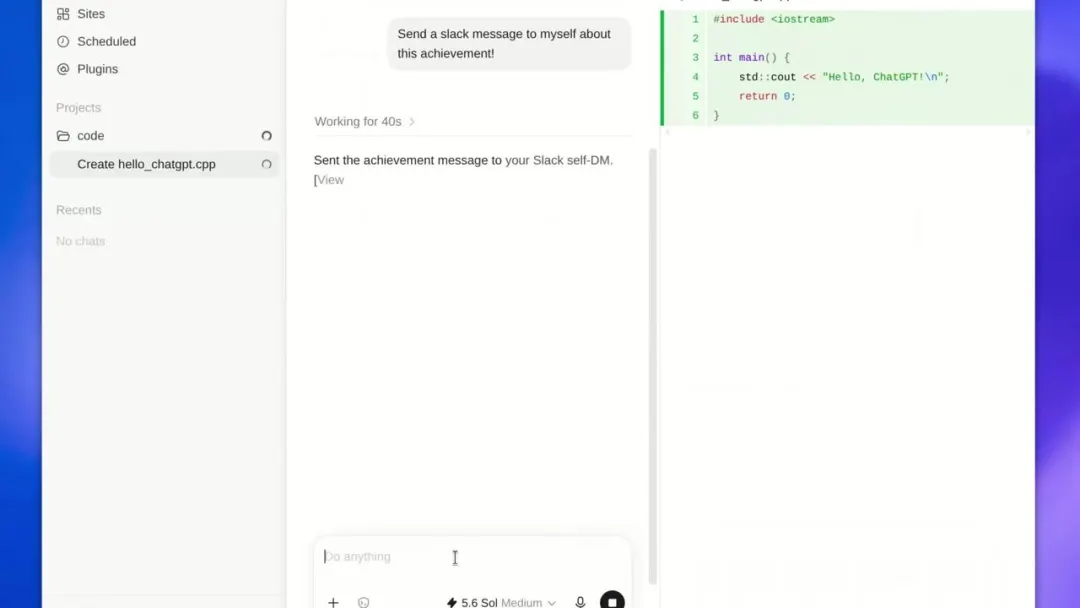
In the same session, Codex sent a successful compilation message to Slack's private chat.
Interestingly, some in the community have found that it can also run on Windows' WSL Ubuntu 24.04 environment.
In terms of functionality alignment, Tibo, who heads the Codex at OpenAI, said it was basically on par with other platforms.
"Linux version" does not mean that all Linux can be installed."Linux version" does not mean that all Linux can be installed.
Currently, it is clear that only the specified versions of Ubuntu, Debian, Fedora, Arch, openSUSE, RHEL, Linux Mint are not on the official list.
The ChatGPT desktop version runs on the actual screen on the Debian 13.
These first officially supported distributions, which are themselves the basis of a large number of downstream desktop distributions, theoretically have a wider compatibility face.
But "theoretically able to run" and "official commitment support" are two things in a production environment.
There are two other things to keep in mind.
One is that it is still a preview version, and it is not clear whether the features and packages are fully compatible with macOS and Windows.
The second is that although the official ARM architecture package is also available, it does not mean that the ARM device in your hand must be able to run, the desktop environment, system dependence and hardware requirements are not fully disclosed.
In retrospect, the registration page that OpenAI left for Linux users actually appeared in mid-July.
At the time, there was no download link on the page, only a "notify me" form and a simple question: Which version did you distribute?
Ubuntu, Debian, Arch, Fedora, RHEL, options are listed in a row.
Now Ubuntu, Debian, Fedora are in the lead, and Arch and RHEL will have to wait.
Codex and Work have access to local documents, projects and terminals, which is its biggest selling point, but how to draw the boundaries, how to do the sandbox, what to do in the enterprise environment is more important than "if there is a client".
A computer that can knock on your terminal and enter the company has to go through this process.
Claude is online JanuaryOpenAI is fast-trackingIn Linux, OpenAI is not the leader.
About a month ago, the Claude desktop version of Anthropic came to Linux, supporting Ubuntu 22.04 and above, Debian 12 and above, and even older and wider versions.
This is almost a retrospective of the OpenAI, anthropic bullfighting contest of the past year:
One of the developers opened his mouth first, and another followed in a month, and nobody dared to let the developer out of this position.
Because developers aren't just users, they're also preachers: an engineer puts tools into a company's computer, which often equates to bringing in a team.
And the location of the code is exactly where the two most recent bites have occurred.
In February, OpenAI sent a standalone desktop application to Codex; in early June, it officially announced that Codex Week had surpassed 5 million users, up from about 600,000 at the beginning of the year, an eight-fold increase in five months.
The composition of users is also changing: about 20% of codex users are no longer developers, but knowledge workers doing research, sales, and design, a proportion that has grown more than three times as fast as developers.
On the other hand, Claude Code did not keep up with the spelling, keeping up with the preferred tool of professional engineers: 138,000 stars on GitHub and fewer than 100,000 of the Codex CLI.
The price tag is fixed: entrance, progression, top three grades, both $20 a month, $100 a month, and $200 a month.
The real winners will have to see who is closer to the developer's day-to-day: who is at the cutting edge, who gets there first.
This is where Linux comes in, and this is where it is.
Linux users have waited two years since the release of the macOS desktop version in 2024.
It's no longer the client that installed the web page in the window that year, but a smart desktop that can read your project, open your browser, and access your terminal.
Of course, the problems faced by developers have also changed.
It's no longer about "which platform has ChatGPT", but "who do you want on your terminal?"